my life organized

redesigning a productivity app

  • My role:
  • Product designer
  • Team:
  • 1 Designer
    5 Engineers
  • Date:
  • Dec 2017 - Mar 2019

Overview

MyLifeOrganized is an application that helps you break free from procrastination by changing how you think and act. The app's core purpose is to help you plan and organize your time to achieve your most important goals efficiently.

MyLifeOrganized is an application that helps you break free from procrastination by changing how you think and act. The app's core purpose is to help you plan and organize your time to achieve your most important goals efficiently.

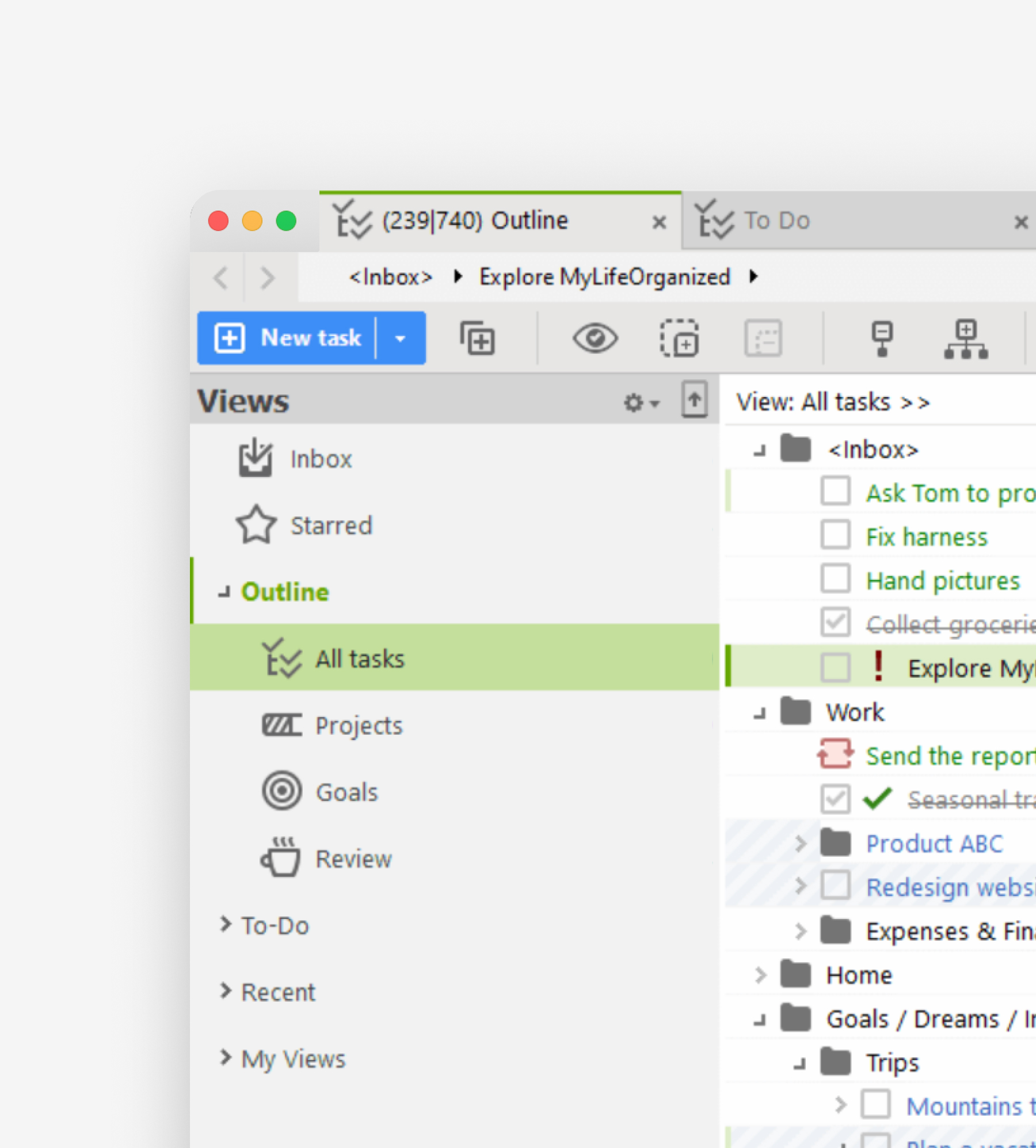
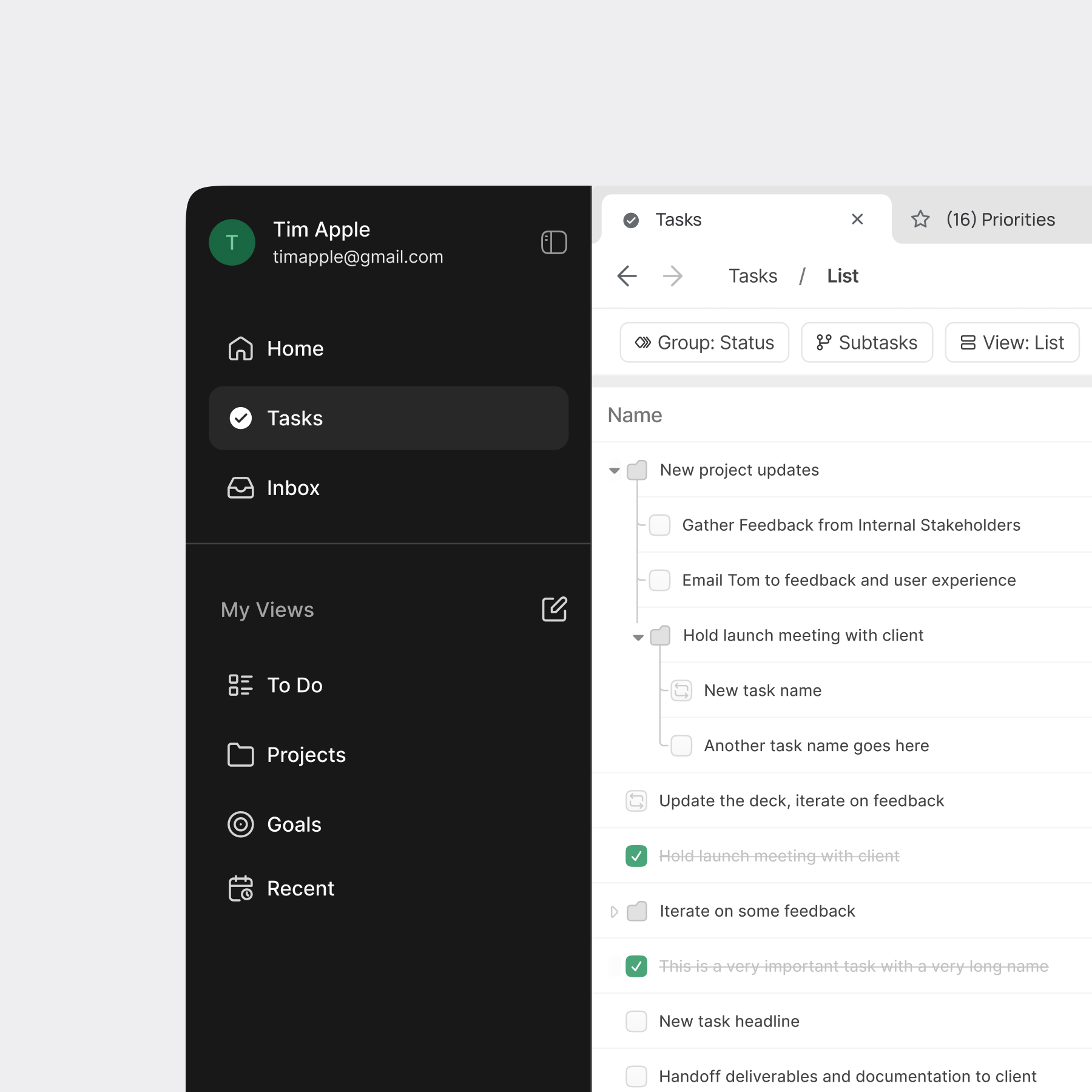
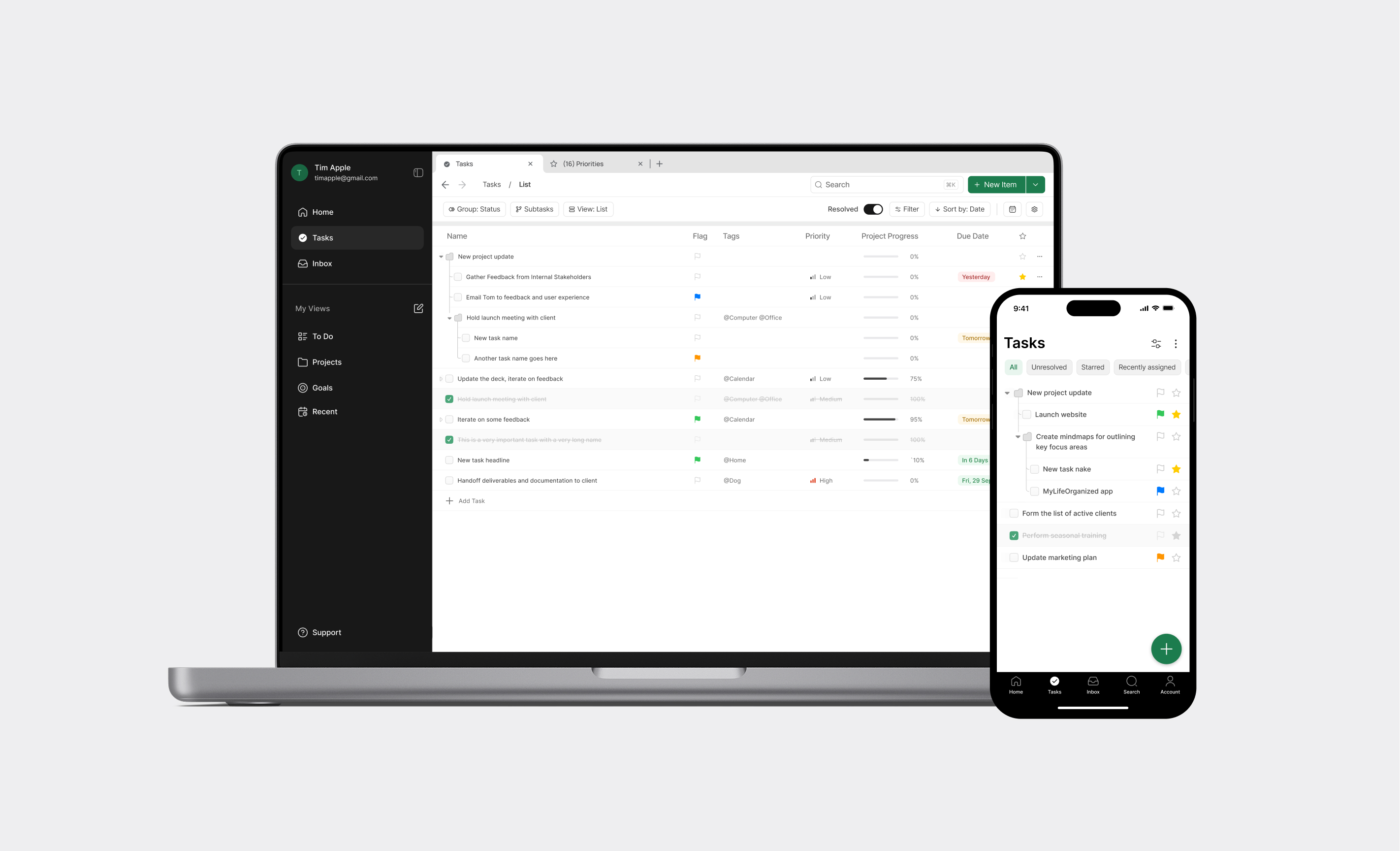
What makes MyLifeOrganized unique is its unlimited hierarchy of tasks and subtasks. This checklist software allows you to create, navigate, and focus on tasks with endless levels of detail. You organize everything in a hierarchical list, and the program automatically generates a sorted checklist based on your input.

I led a comprehensive UX system redesign that transformed the product's interface and interaction patterns.
The Challenge

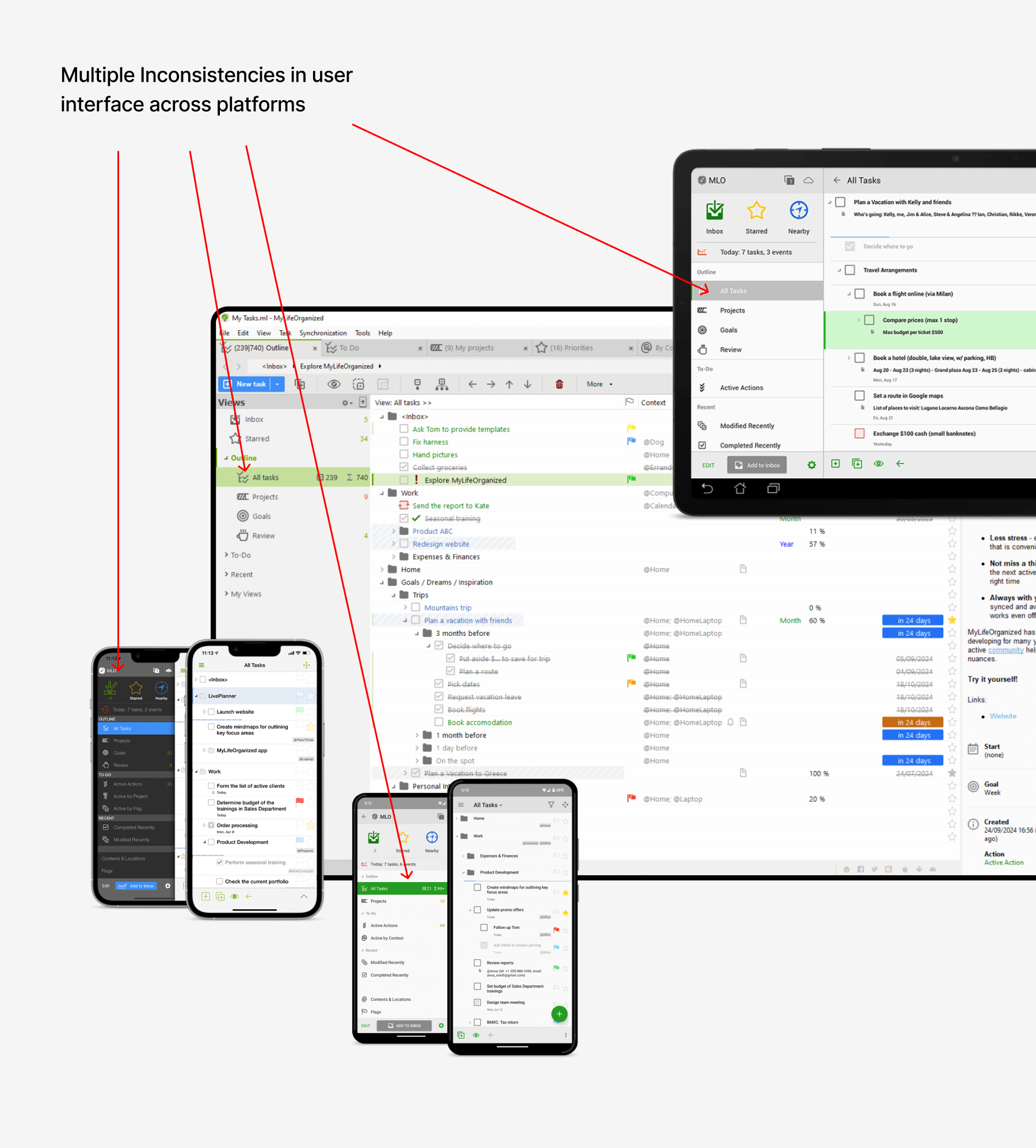
  • The UI looked outdated and was inconsistent across platforms
  • Advanced features were buried in clutter
  • Onboarding left new users lost
  • The website didn’t clearly explain value
68%

Of new users felt overwhelmed during onboarding

42%

Of power users struggled with navigation and created workarounds

55%

Of users said they couldn’t easily find the subscription/ upgrade page

      Goals

      • Simplify the task management flow while preserving depth
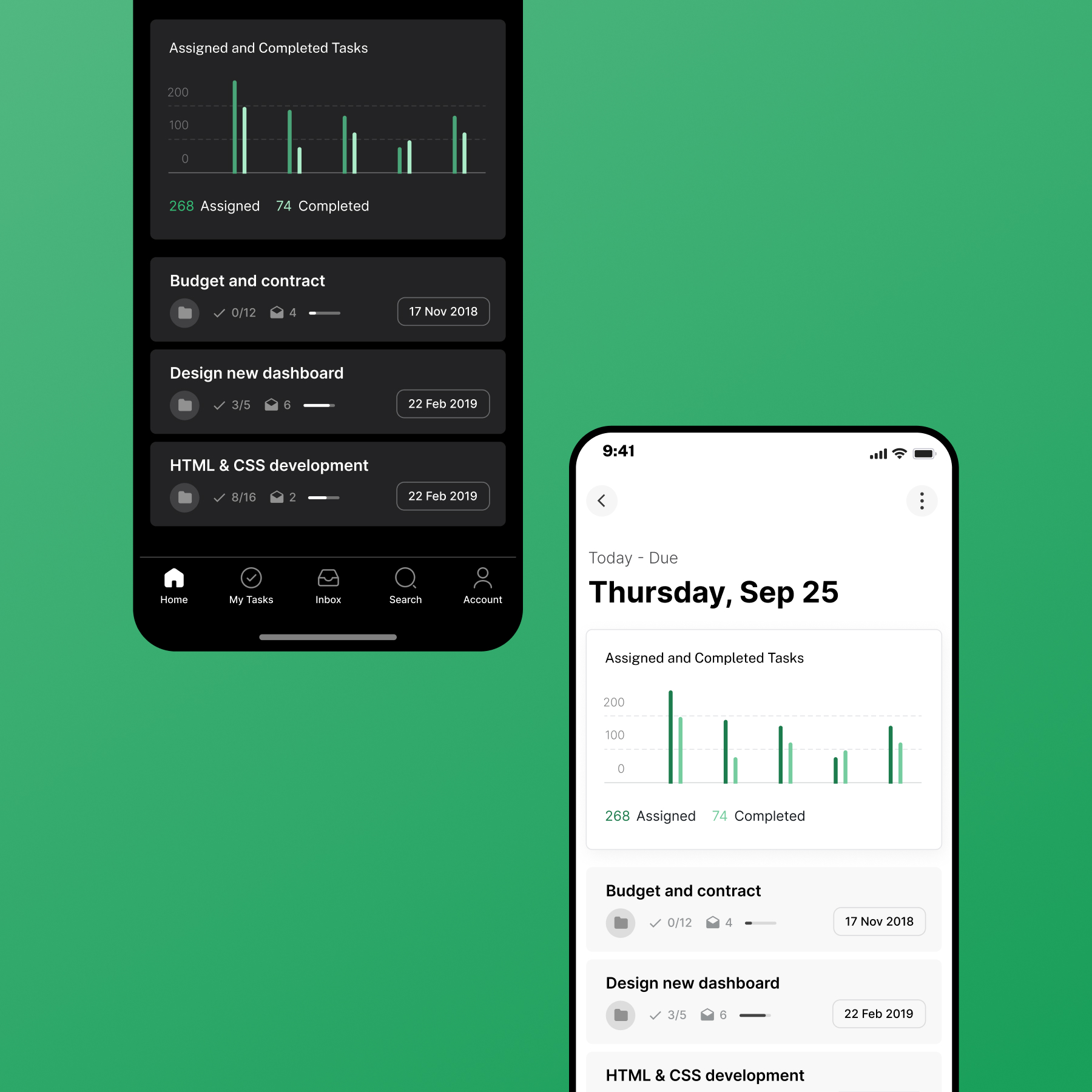
      • Modernize UI with a clean, consistent design system
      • Improve onboarding and feature discoverability
      • Clarify product value on the website
      • Create consistency across platforms

      Approach

      I started with an audit of the existing experience and user research. From there, I restructured the information architecture, iterated on wireframes, and tested flows with users.
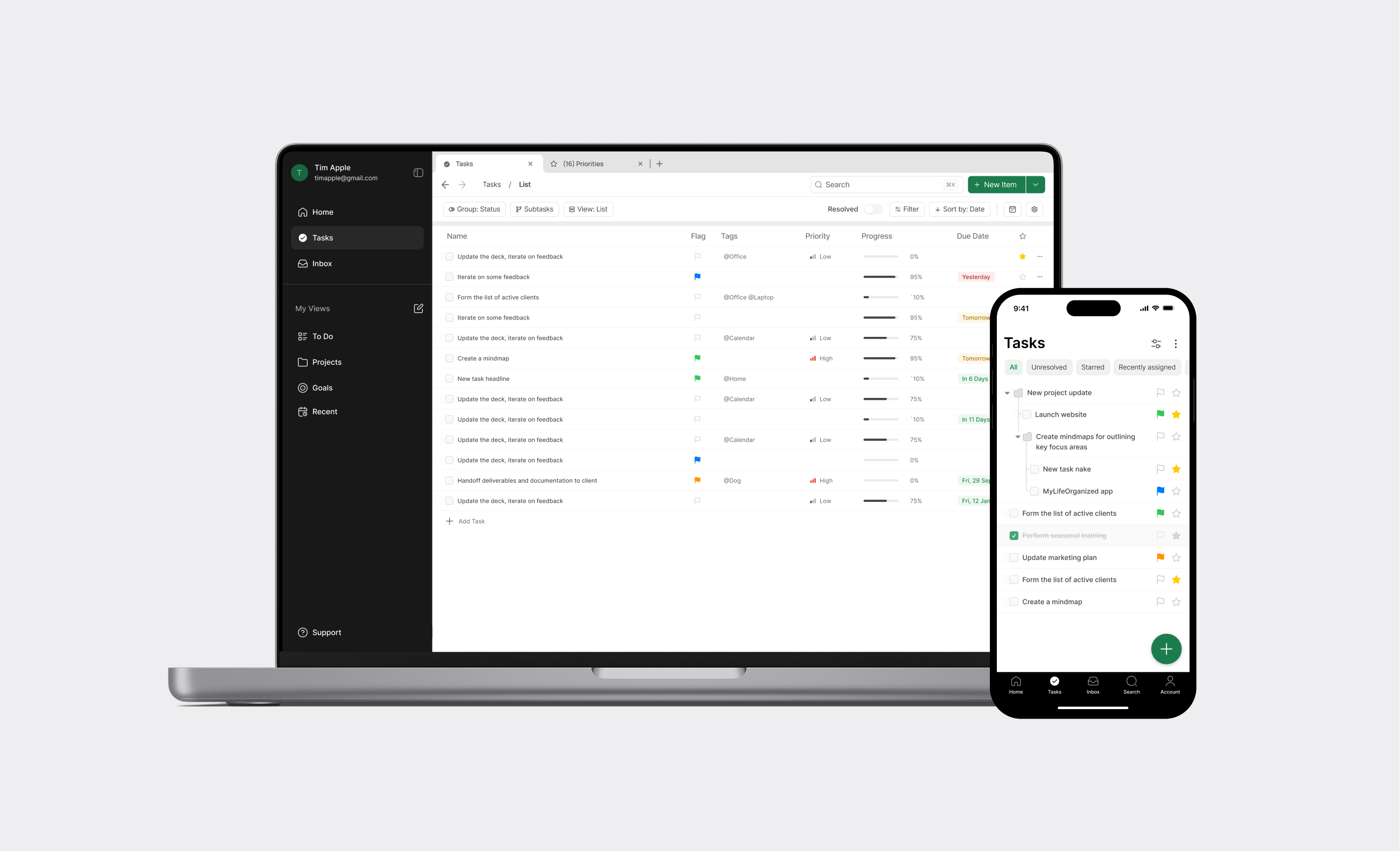
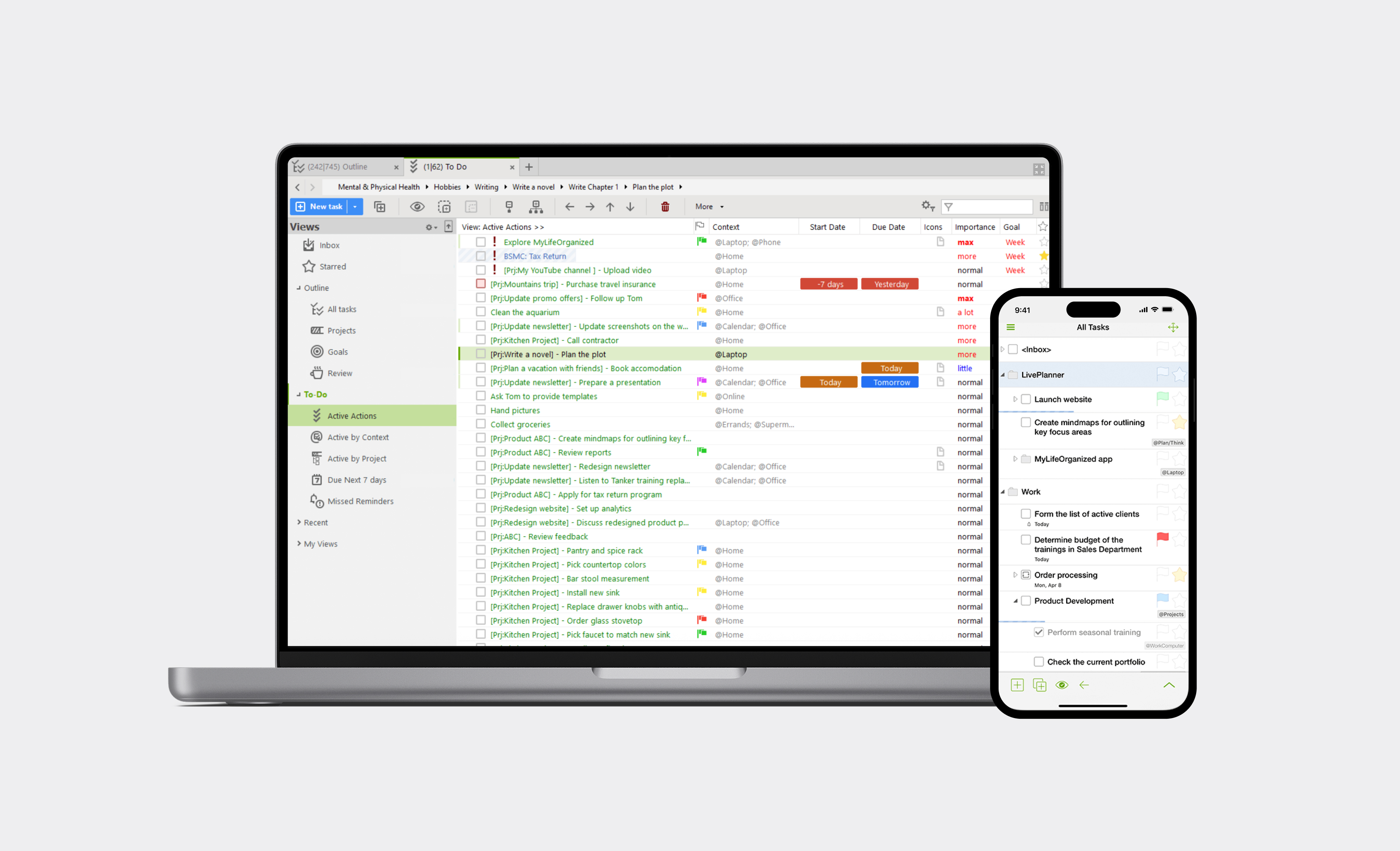
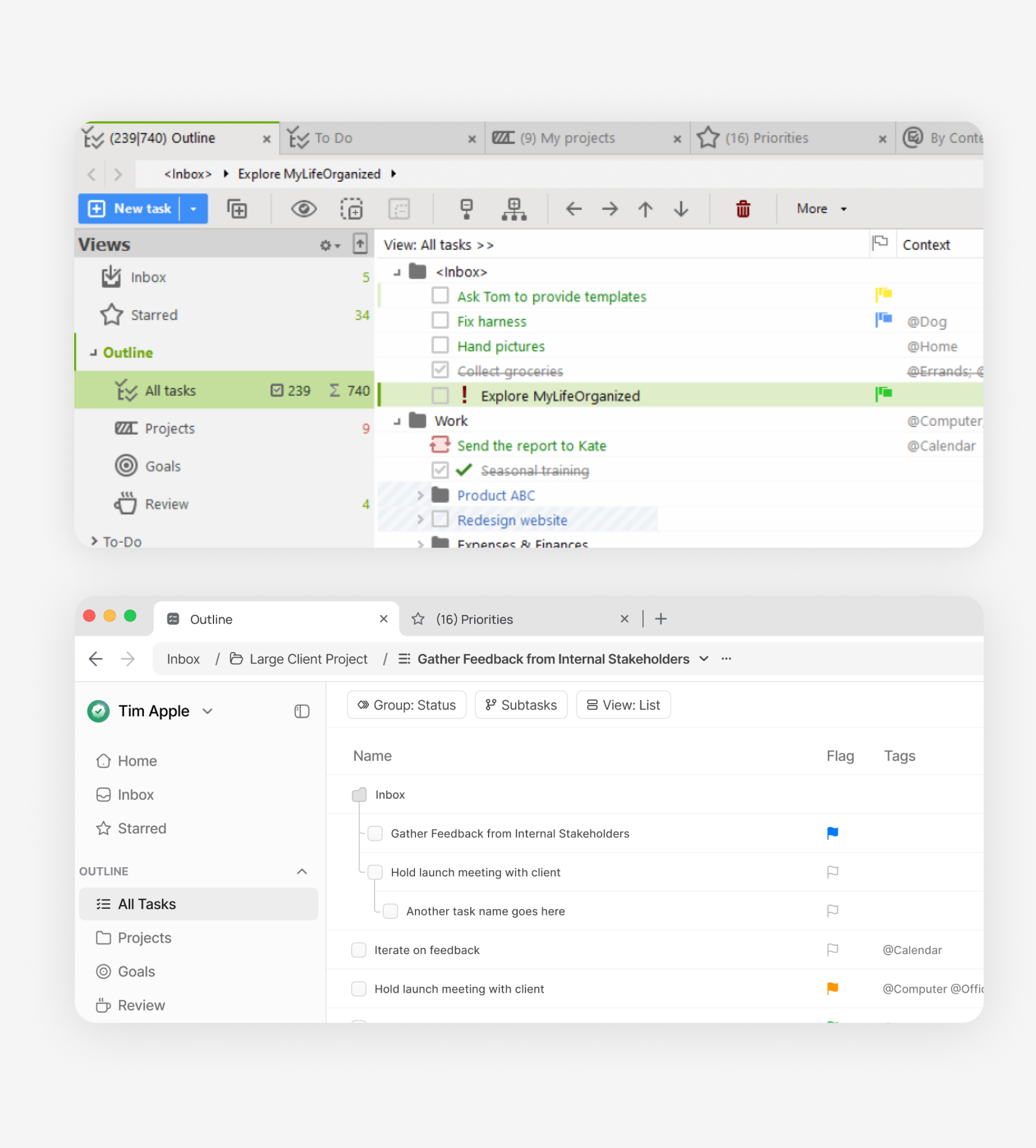
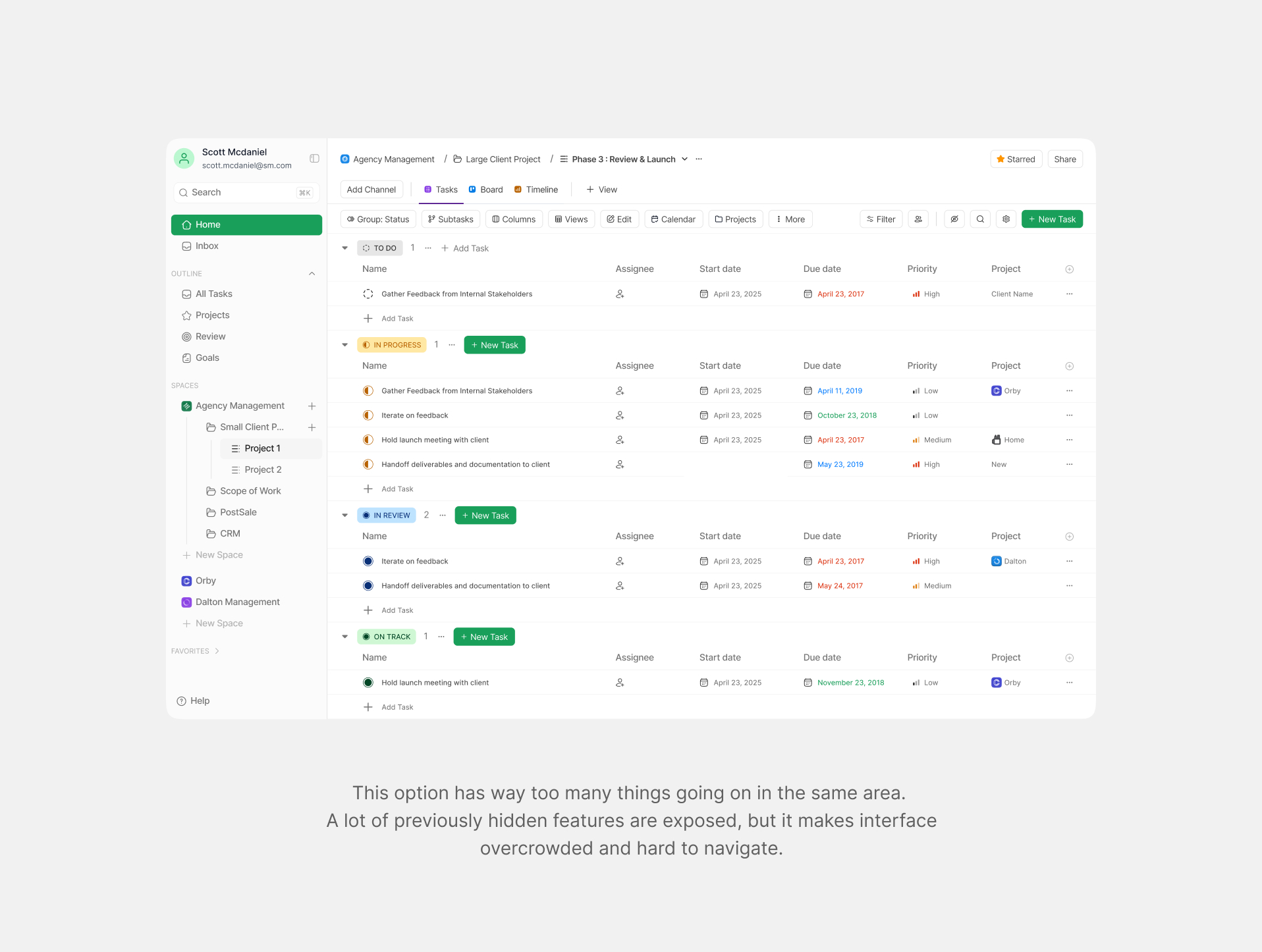
      Before
      After
      Before
      After

      Understand the users & assess exsisting UX

      I started by talking to users.

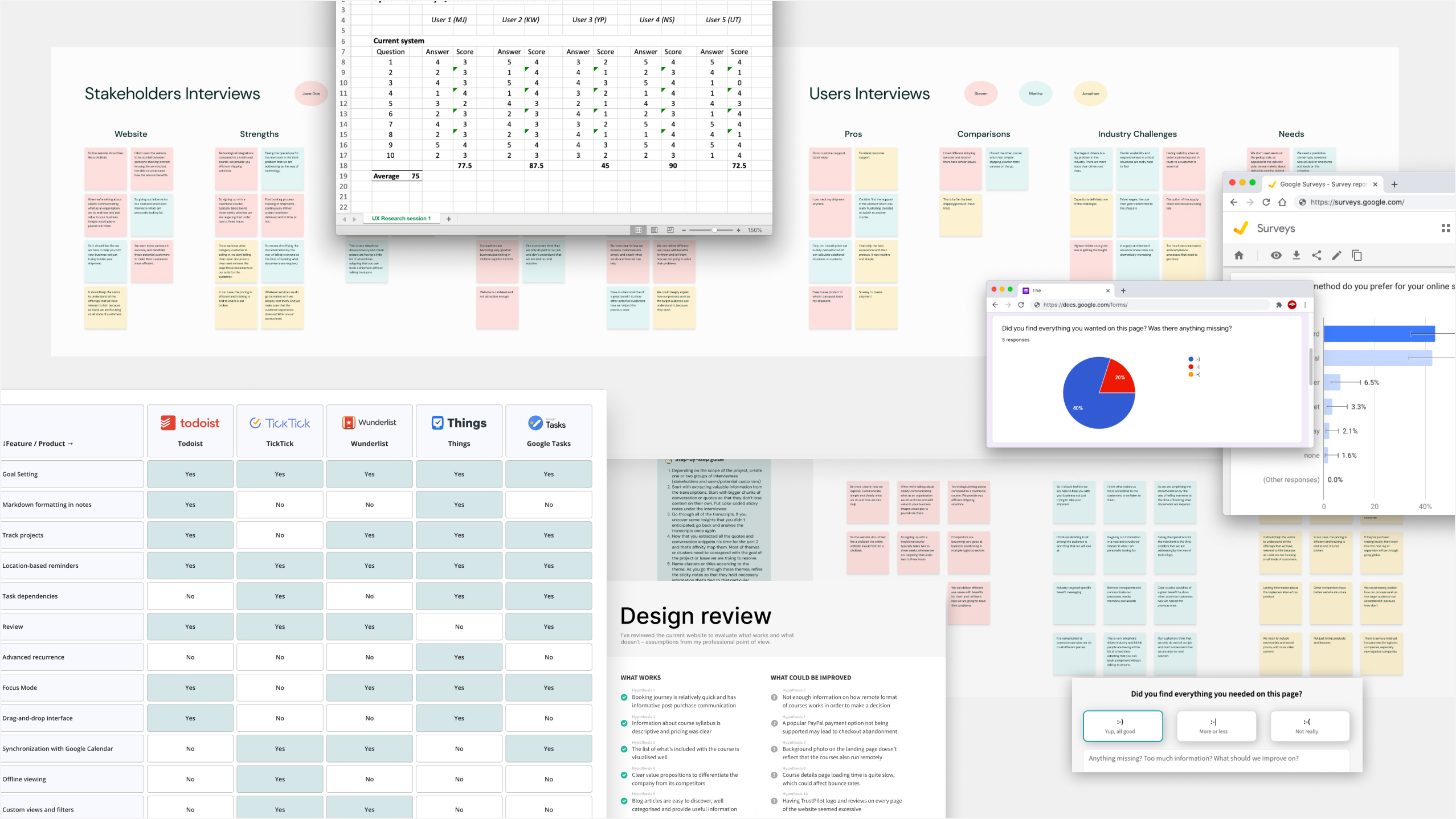
      • Interviewed 15 people: 8 were longtime power users, 7 were new and struggling
      • Conducted user surveys with 200+ existing users to understand their satisfaction levels and pain points with the current version
      • Did heuristic evaluation of the website and apps revealed issues in navigation, visual hierarchy, and task entry
      • Benchmarked against competitors like Todoist, TickTick, Wunderlist, Google Tasks and Things

      What users said:

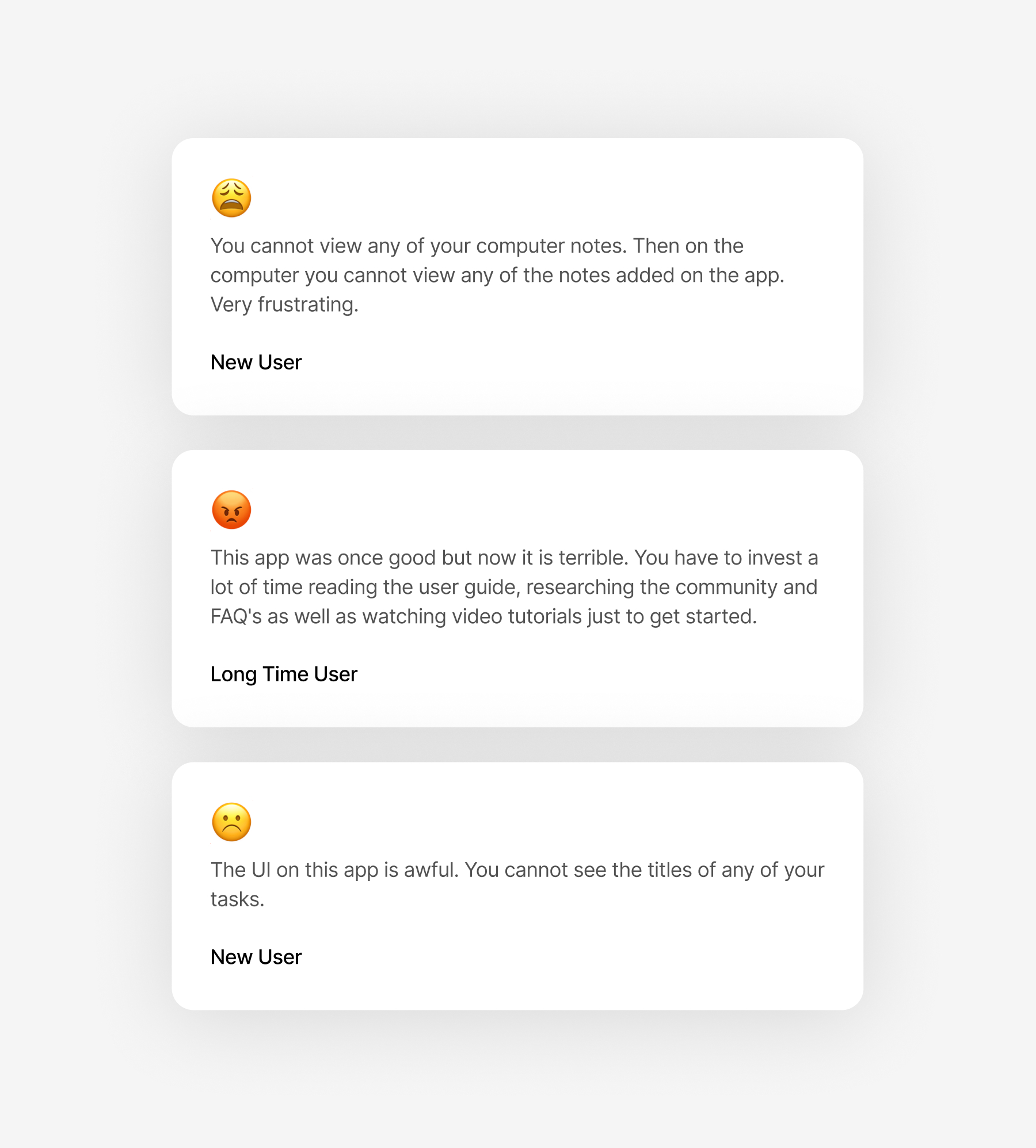
      • “Best task manager out there, but only if you’re willing to invest hours figuring it out.”
      • “The desktop app is powerful, but the design feels like it’s from 2005 and the app won’t be updated.”
      • “I tried it once, but onboarding felt too overwhelming.”
      • “Navigation is confusing. I can never find the calendar view when I need it.”
      • “When it works, it’s amazing, but it takes too long to figure out.”
      • “The subscription page is confusing. I wasn’t sure what I was paying for or what came with free vs. pro.”
      • “The mobile app and desktop version don’t feel like the same product. I get lost switching between them.”

      Synthesis& Pattern Recognjtion

      After each interview, we conducted thorough debriefs as a team, capturing observations, quotes, and behavioral patterns. We used affinity mapping to organize hundreds of insights into thematic clusters. This process helped us distinguish between individual preferences and systemic problems that affected most users. The synthesis revealed three critical areas that demanded immediate attention: information architecture, onboarding experience, and cross-platform consistency. These became the pillars of our redesign strategy.
      Next Steps

      I started by identifying pain points in the user journey. For example, during user interviews we found out that many features users valued were sometimes buried three or four levels deep in navigation.

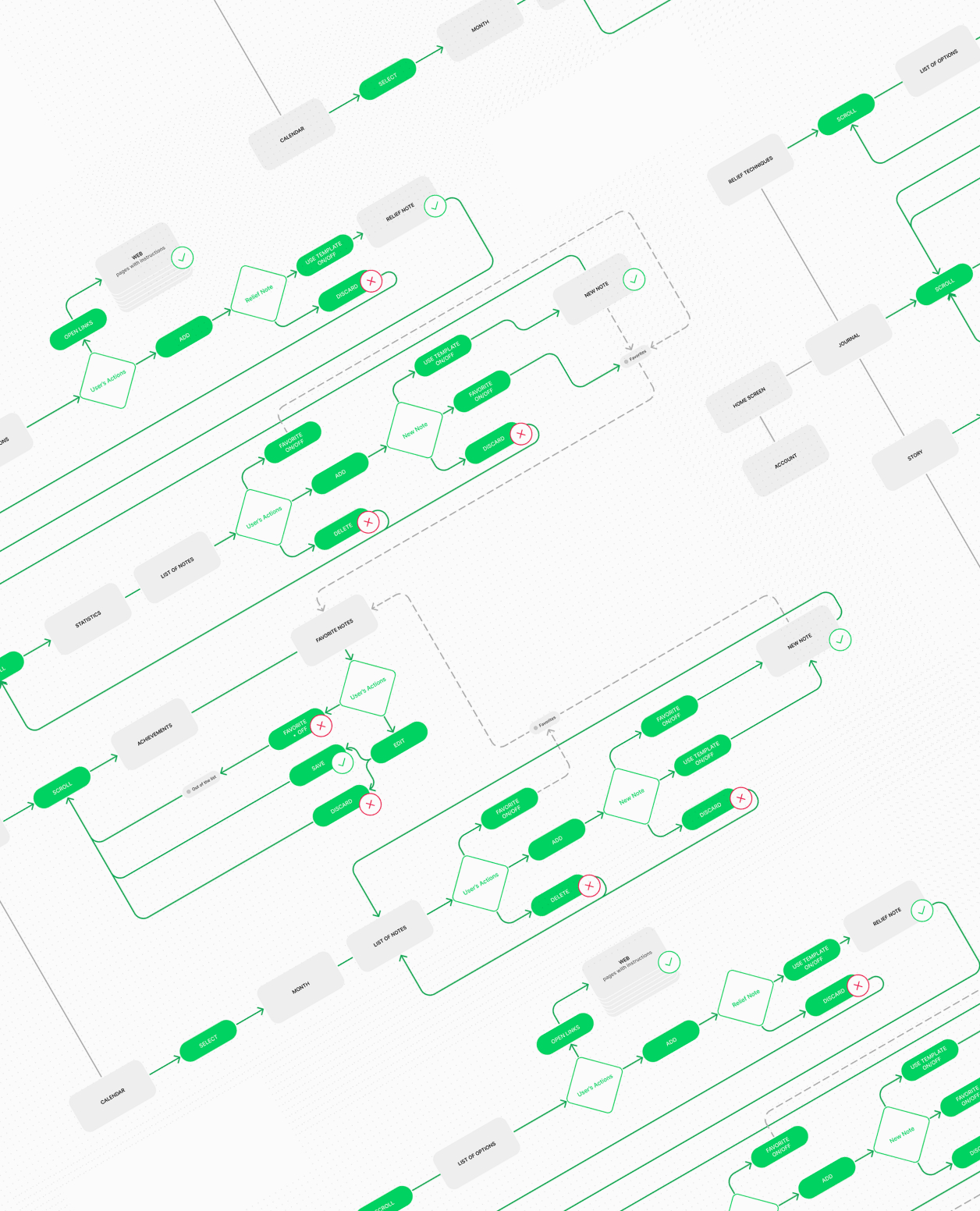
      USer Flows & Journey Mapping

      Documented every touchpoint to identify friction and opportunities for improvement

      Feature Audit

      Analyzed usage data to determine which features to surface, simplify, or remove
      Iterative Design Through Rapid Testing

      Armed with research insights, I moved into an intensive phase of analysis, prototyping, and testing. This wasn't a linear process, I iterated constantly, creating low-fidelity wireframes to test core concepts, then progressively refining them based on user feedback. Each version brought us closer to a solution that balanced simplicity with functionality.
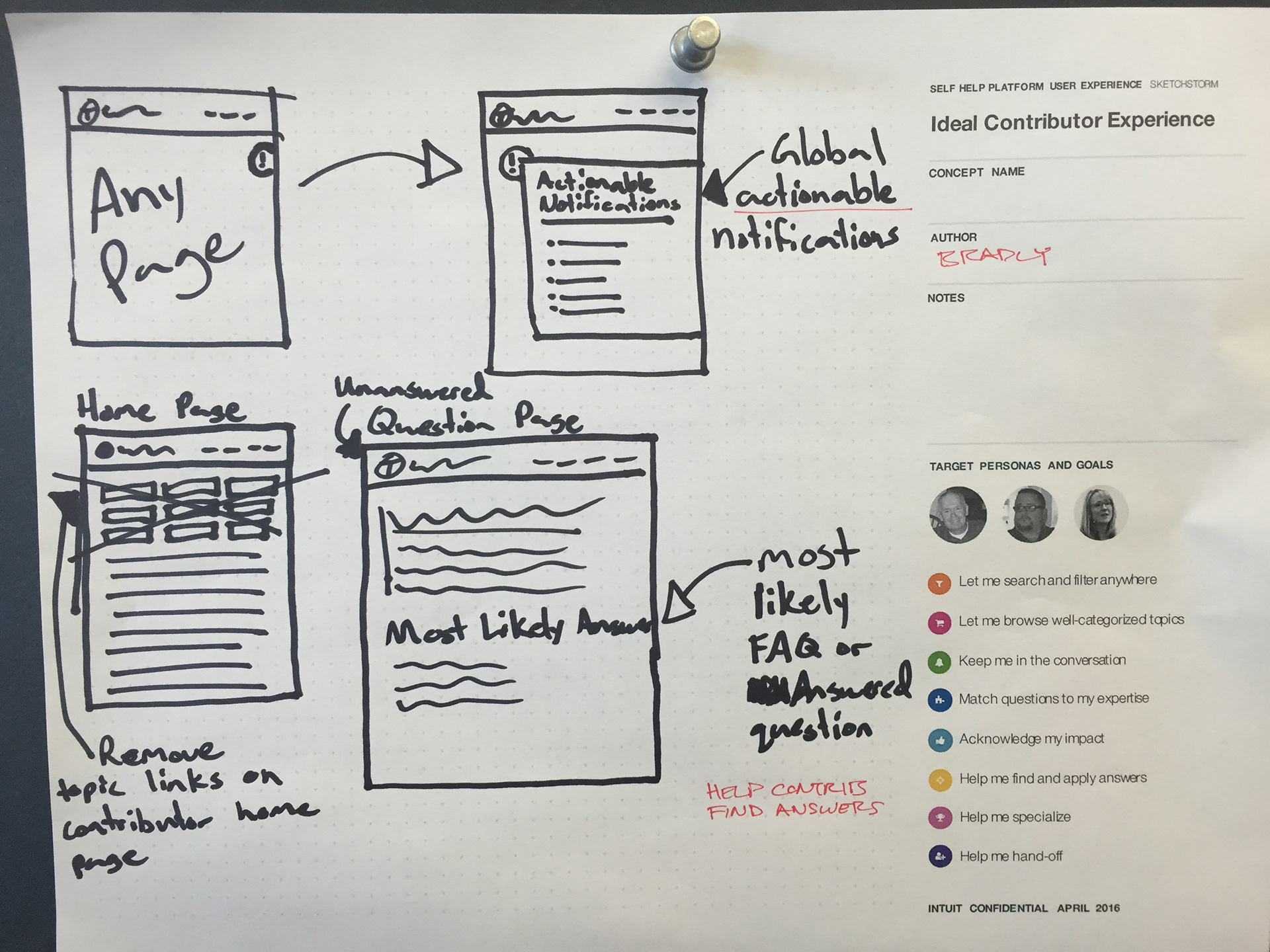
      Low-Fi Wireframes

      Sketches and basic wireframes to test core concepts and navigation flow

      Interactive Prototypes

      Clickable prototypes to test detailed interactions and user flows
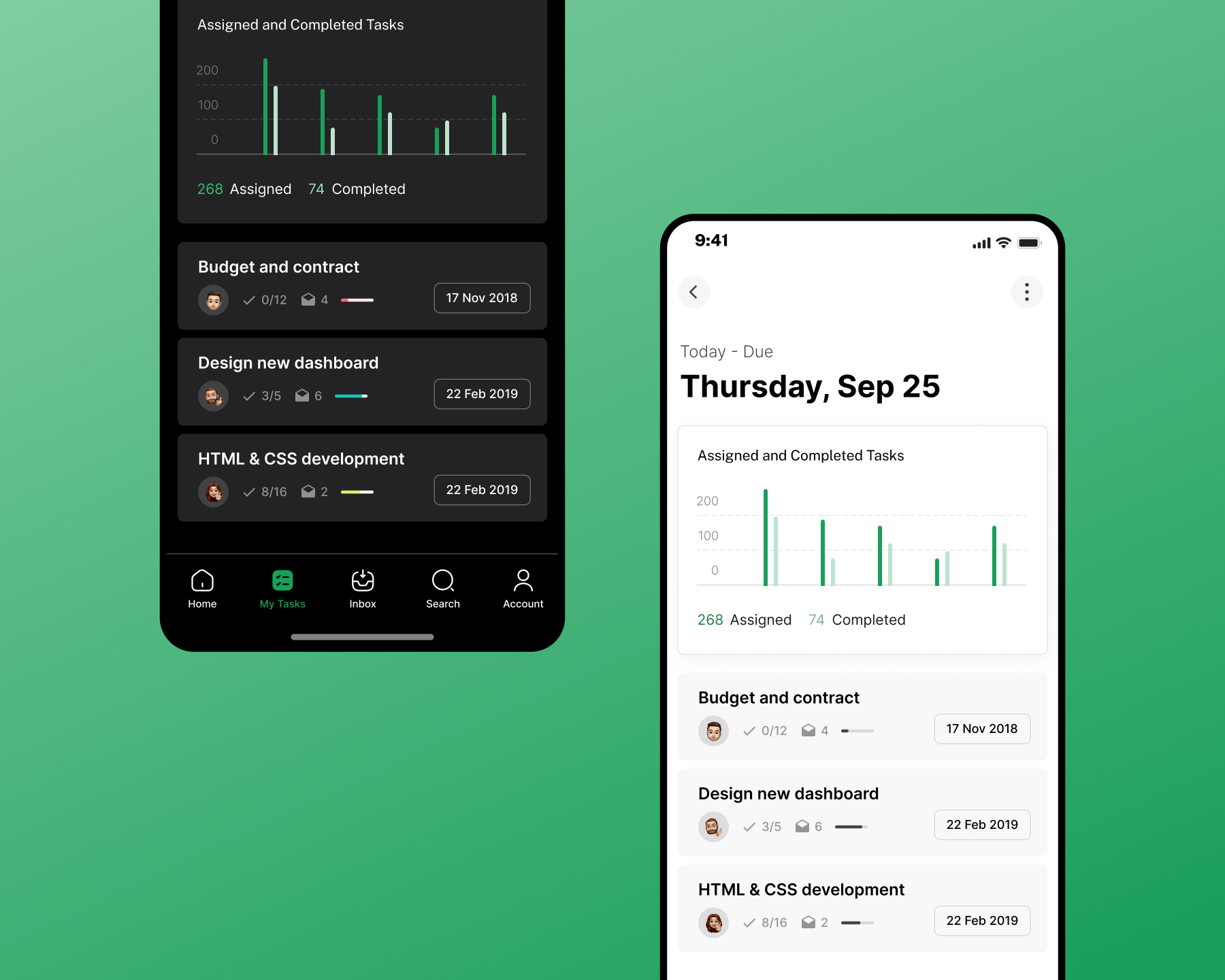
      High-Fi Mockups

      Polished designs with final visual treatment and micro-interactions
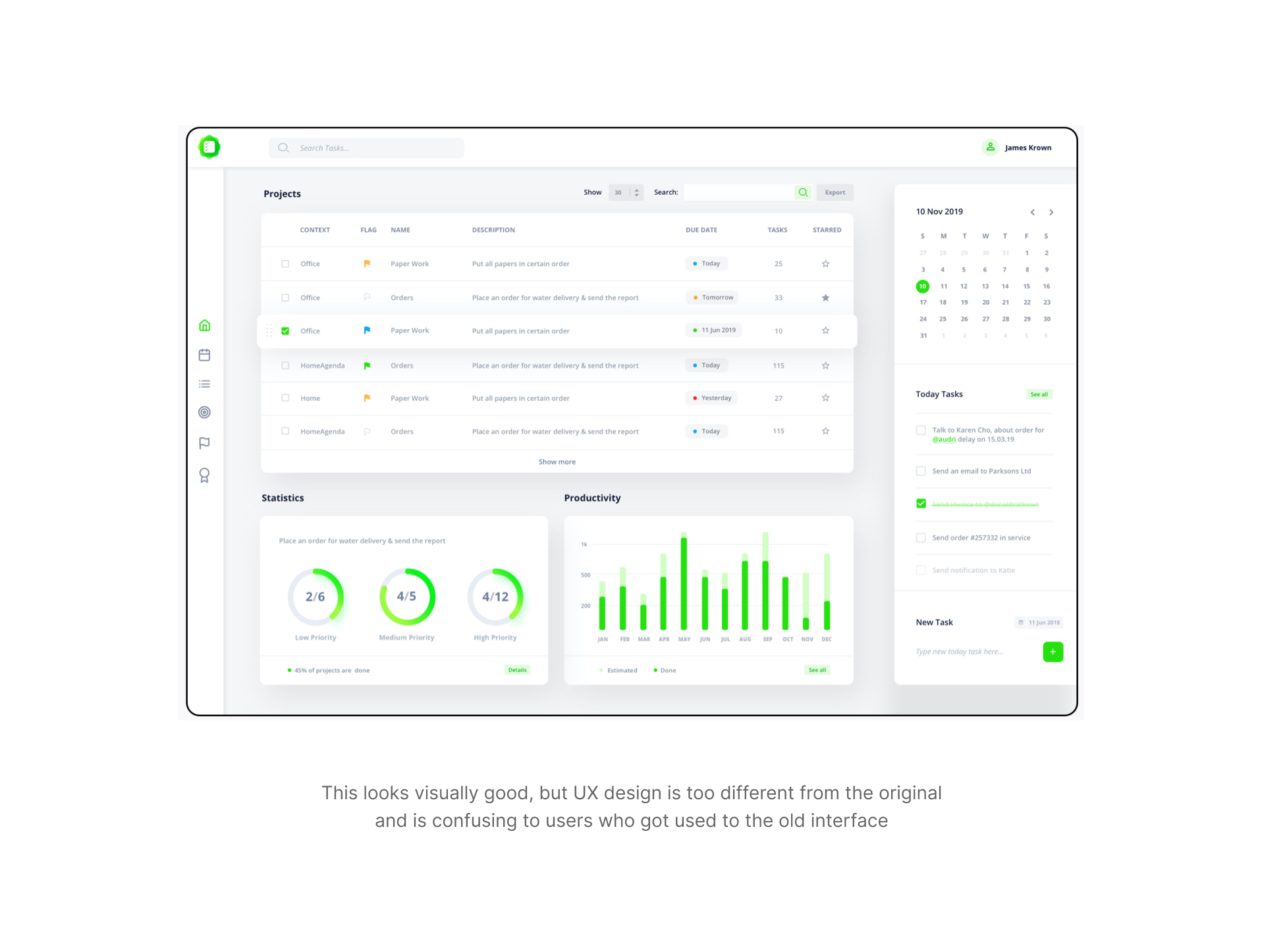
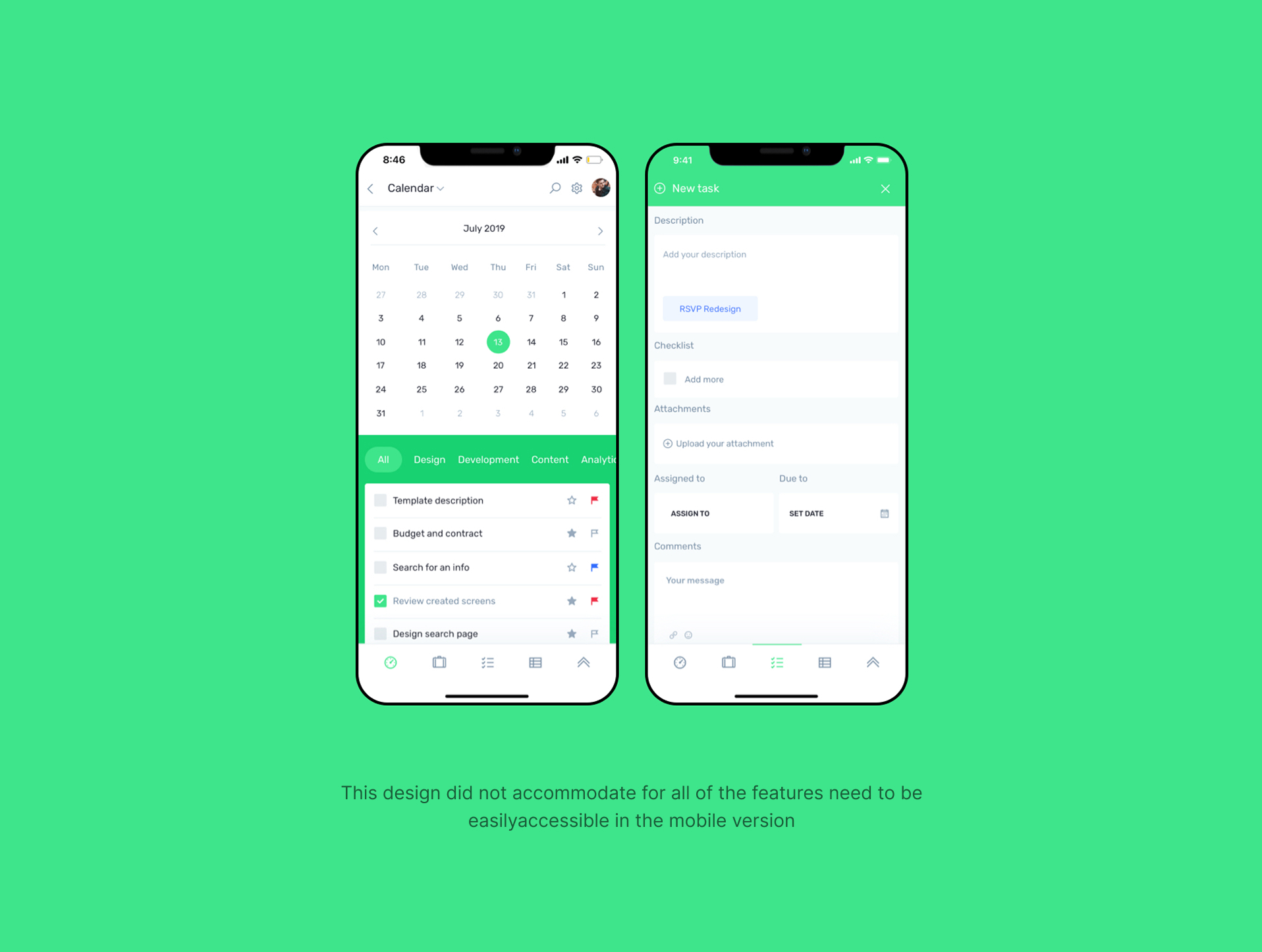
      Here are some examples of different prototype iterations:

      Key improvements:

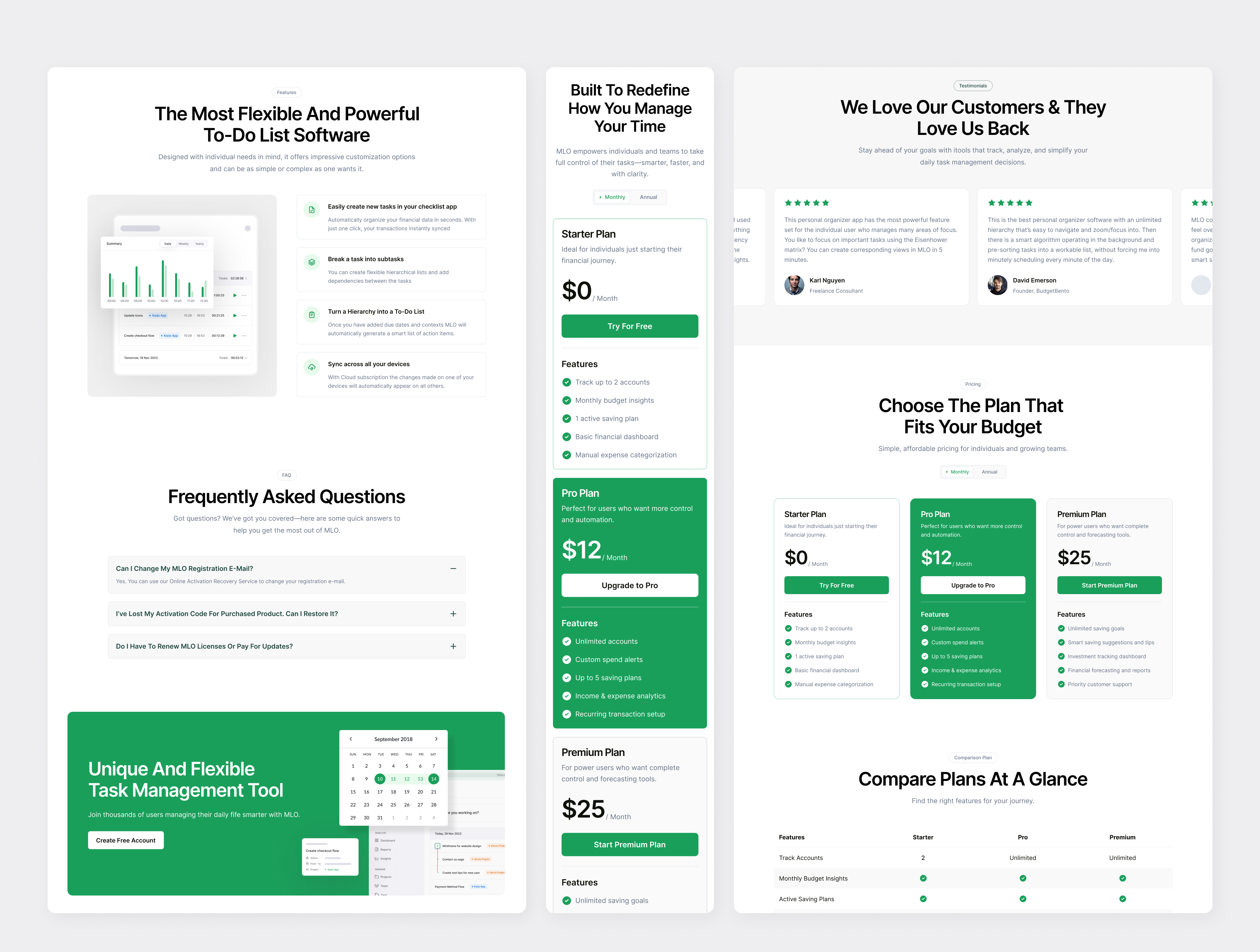
      Website

      • Clearer value proposition with simplified messaging
      • Landing page focuses on benefits over features
      • Streamlined pricing and download flows

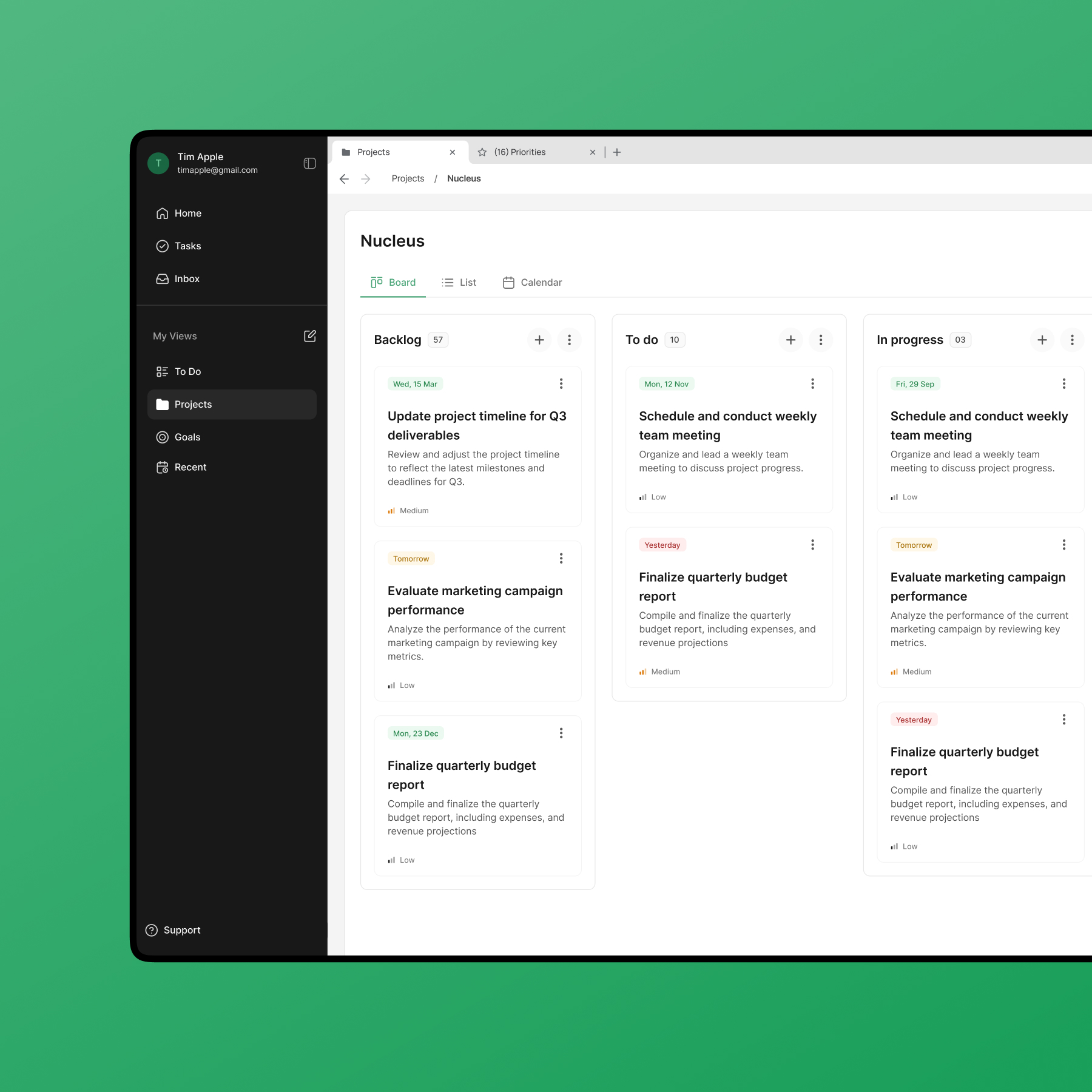
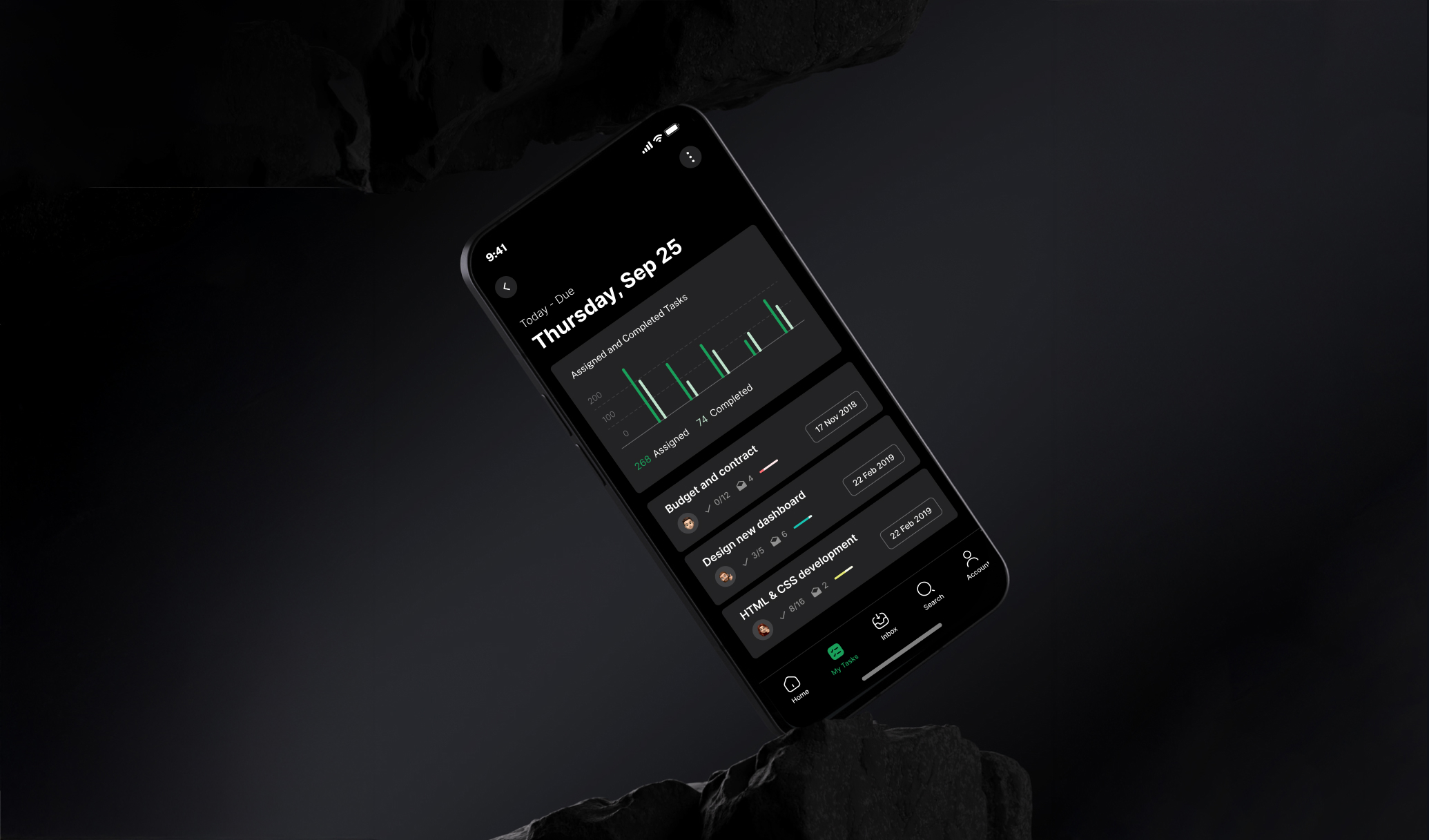
      Mobile & Web App

      • Unified navigation across platforms
      • Redesigned task hierarchy view with collapsible branches
      • Smart Quick Add with natural language input
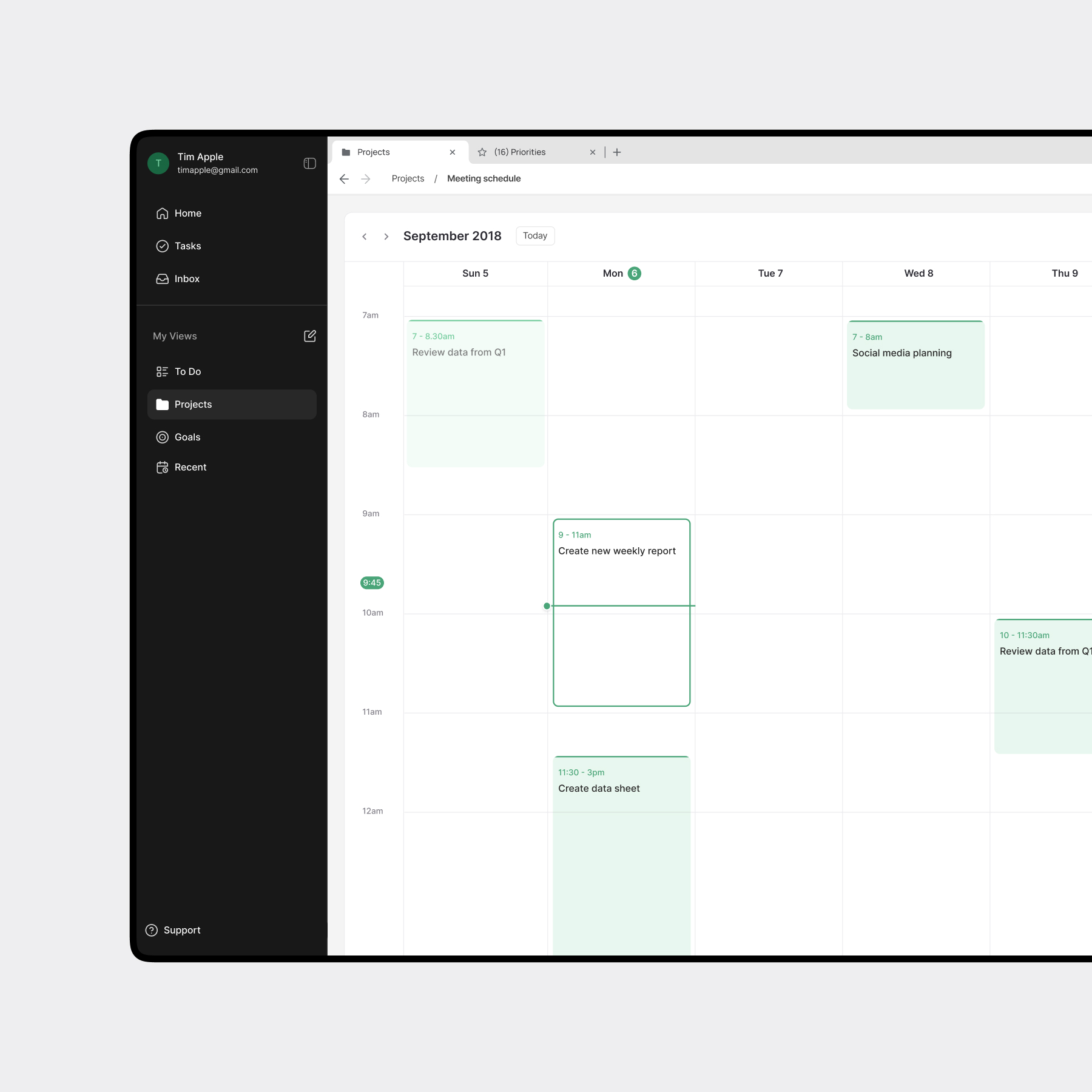
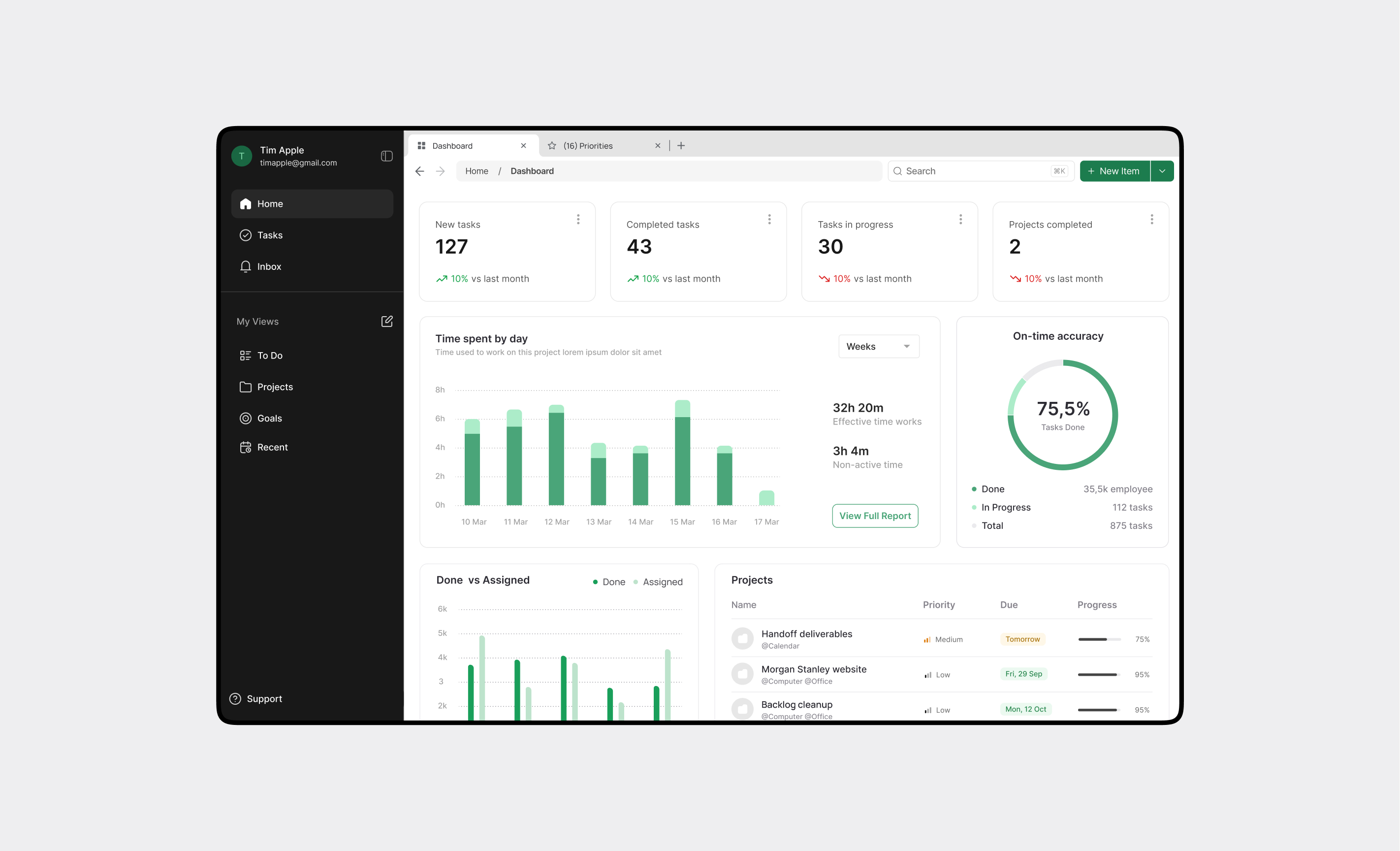
      • Calendar integration for workload visualization
      • Personalized onboarding with templates (GTD, FranklinCovey, Do-It-Tomorrow)

      Impact

      • Increased new user activation in testing scenarios
      • Reduced time to create and organize tasks
      • The number of paid subscriptions increased due to upgrade page being easier to find
      • Improved feature discoverability without overwhelming users
      • Consistent design system enabled faster development handoff

      What's Next?